
Running Docker Containers on a Project
A user must have "Member" or "Owner" access to a project in order to carry out the following steps. To check or alter your project access, please contact the CNDA Help Desk.
Docker containers may be run at session-level or scan-level. To run Docker containers on data in your CNDA project, please follow the steps below.
I. Running a "session-level" Docker container
A session-level Docker container is launched on the entire session (eg. MR session, PET session, CT session, etc.).
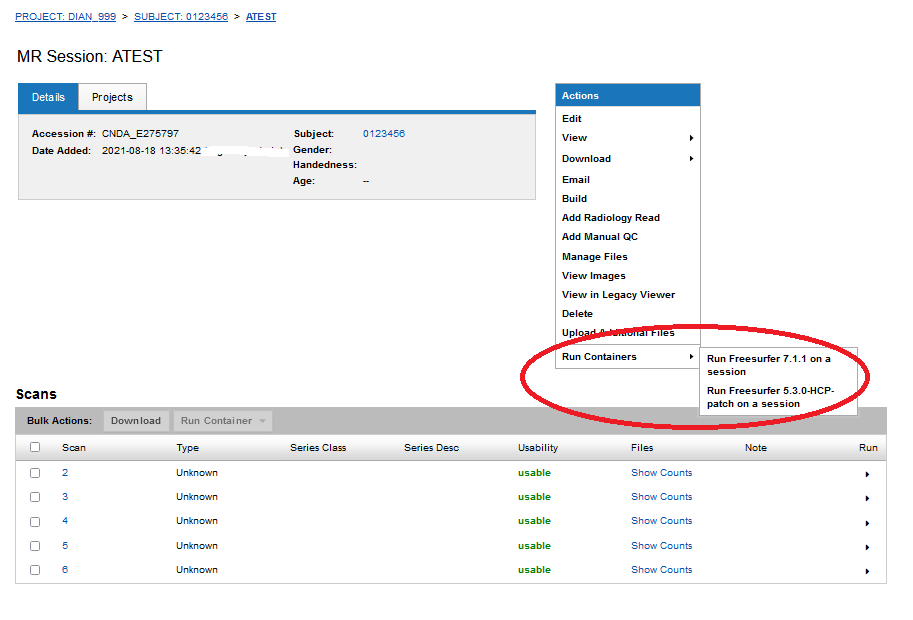
STEP 1: Navigate to a session. In the Actions box, click Run Containers, then select the container you wish to run on the session.
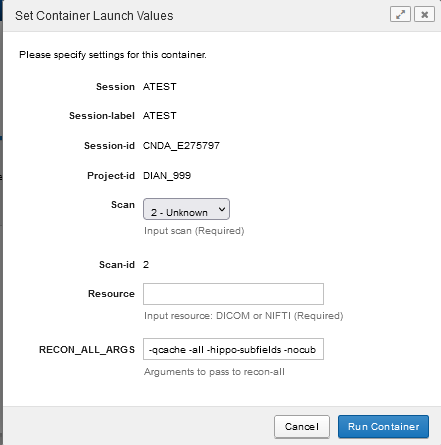
STEP 2: Modify required parameters and any others that should be changed. Then click Run Container
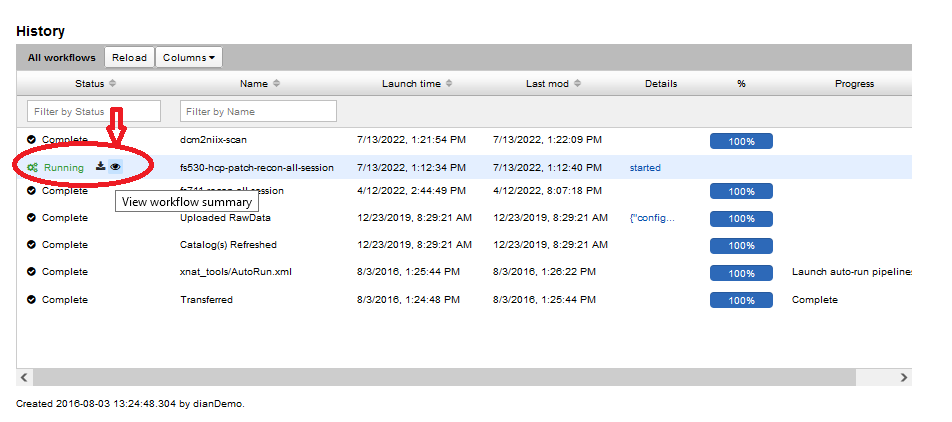
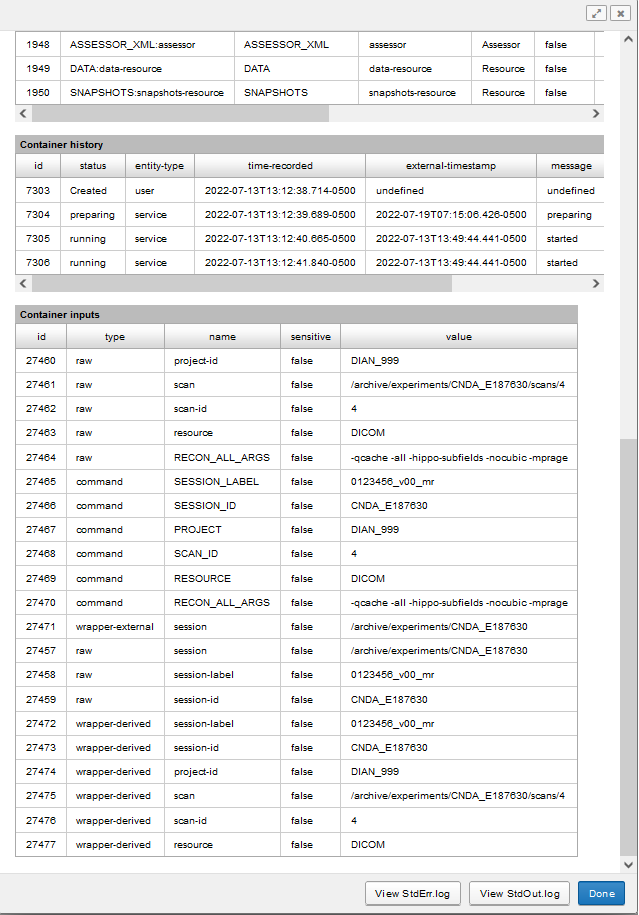
STEP 3: Scroll down to the History section to confirm that your container was launched successfully. Click on the eye icon to see all run information, status and associated logs.
II. Running a "scan-level" Docker container
STEP 1: Navigate to a session. Scroll down to Scans. Under the Run column heading, select the arrow for the scan you wish to process.
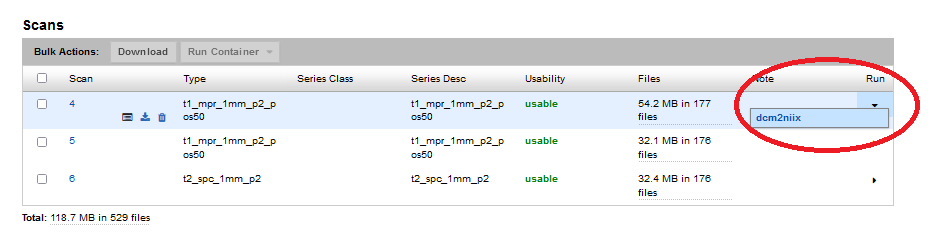
STEP 2: Modify any settings desired and then click Run Container.
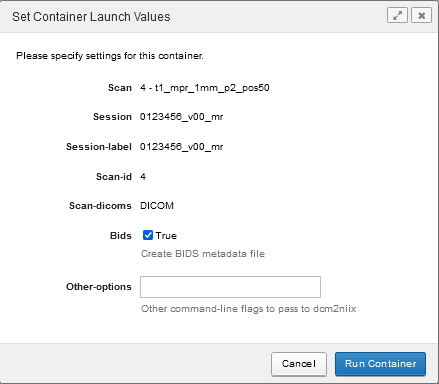
STEP 3: See STEP 3 above for viewing container execution status.